Security tools
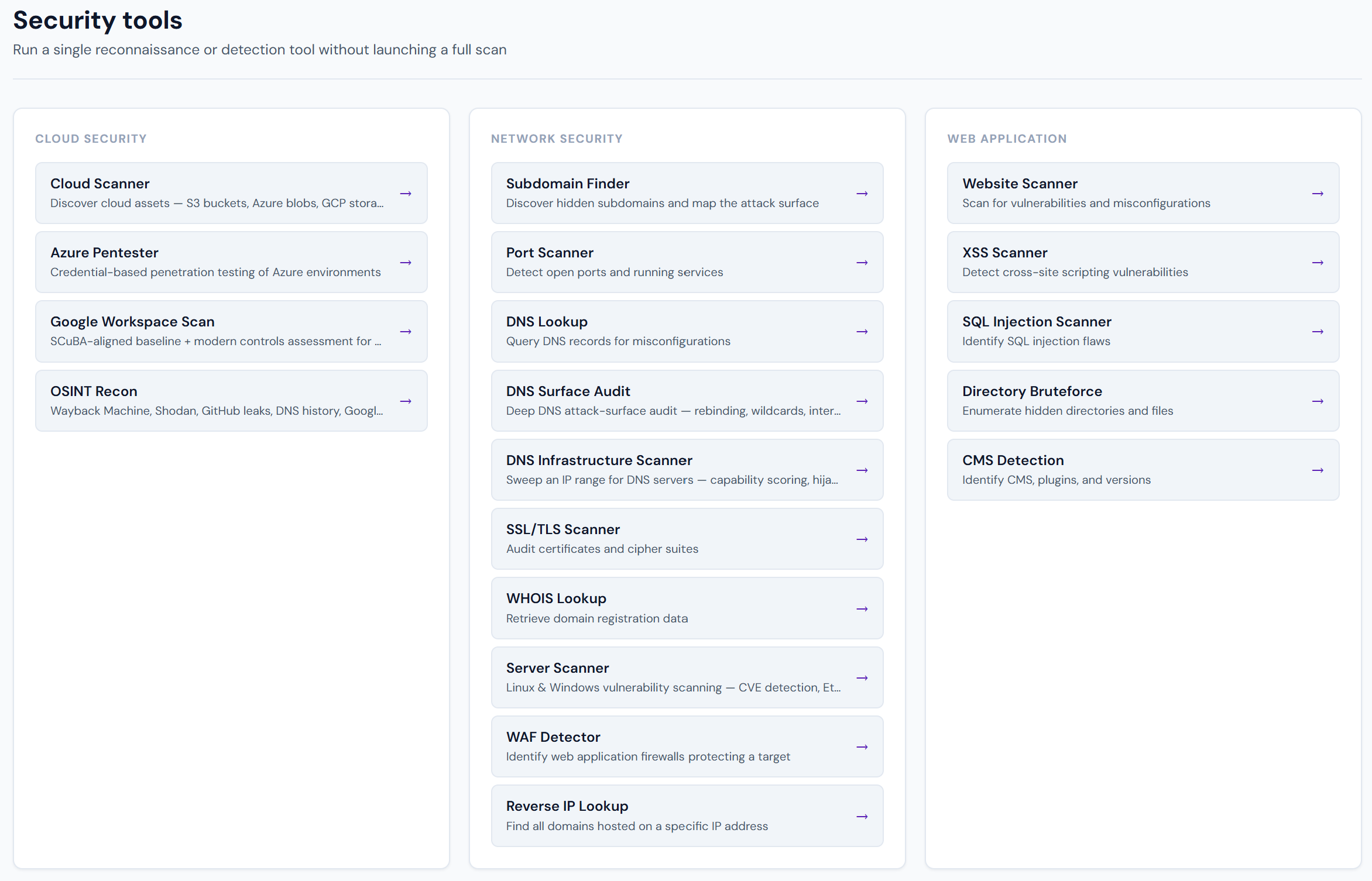
Security tools are single-purpose utilities inside the Pentestas app. Use them when you need a quick answer (open ports, JWT decode, subdomain list) without configuring a full engagement.
They live under Security tools in the sidebar (/tools). Each tool has its own URL (/tool-<name>).
Tools vs scans
| Security tools | Full scans | |
|---|---|---|
| Scope | One technique | Multi-module pack (web, API, cloud, …) |
| Setup | Usually one field | Target, modules, auth, strength |
| Output | Immediate tool table / report | Findings with CVSS, proof status, retest |
| When | Recon, triage, “is this open?” | Engagements, SOC 2 evidence, CI |
Many tools have a deeper cousin under Running scans (for example Subdomain Finder → Subdomain enumeration).
Catalog
| Tool | Category | What it does |
|---|---|---|
| Subdomain Finder | Network recon | Discover subdomains and map the attack surface of a domain. |
| Port Scanner | Network recon | Map open ports, identify running services, and fingerprint hosts. |
| SSL/TLS Scanner | Network recon | Audit certificates, cipher suites, and protocol configuration. |
| WHOIS Lookup | Network recon | Retrieve domain registration and ownership information. |
| Reverse IP Lookup | Network recon | Find domains hosted on an IP, plus geo/ASN/PTR context. |
| DNS Lookup | DNS | Query DNS records to map infrastructure and spot misconfigurations. |
| DNS Surface Audit | DNS | Six DNS posture checks: rebinding, wildcard, internal IP leaks, open recursion, NS version, split-horizon. |
| DNS Infrastructure Scanner | DNS | Sweep a CIDR or IP list for live DNS servers and score each responder. |
| WAF Detector | Web | Identify web application firewalls and edge security products. |
| CMS Detection | Web | Identify CMS platforms, versions, and plugins. |
| JWT Analyzer | API / auth | Decode JWTs and flag common security weaknesses. |
| GraphQL Scanner | API / auth | Test GraphQL endpoints for introspection, injection, and misconfiguration. |
| Cloud Scanner | Cloud | Discover cloud assets across major providers (storage, public endpoints). |
| Azure Pentester | Cloud | Penetration testing helpers for Azure environments. |
| Google Workspace Scan | Cloud / SaaS | Read-only CISA SCuBA–aligned assessment for Google Workspace. |
| Server Scanner | Network / host | Scan Linux/Windows servers for open ports, CVEs, and weak services. |
| OSINT Recon | Recon | Passive intelligence: archives, DNS history, code leaks, search dorks. |
| Methodology Library | Reference | Auditor-readable methodology behind every vulnerability class Pentestas tests. |
How to open a tool
- Sign in to app.pentestas.com.
- Sidebar → Security tools.
- Click a tool tile — or jump directly to
/tool-subdomain-finder,/tool-port-scanner, etc. - Fill the form → run → read results in-page. History is kept for signed-in tenants where available.
Free public tools
Some tools also have anonymous endpoints on the marketing site (rate-limited), for example Subdomain Finder on pentestas.com/subdomain-finder. The in-app tools above are the full product surface with auth, history, and higher limits.
Related
- Scans overview
- Your first scan
- Manual testing tools (Forge / Volley / OAST on a scan)