Authenticated scans
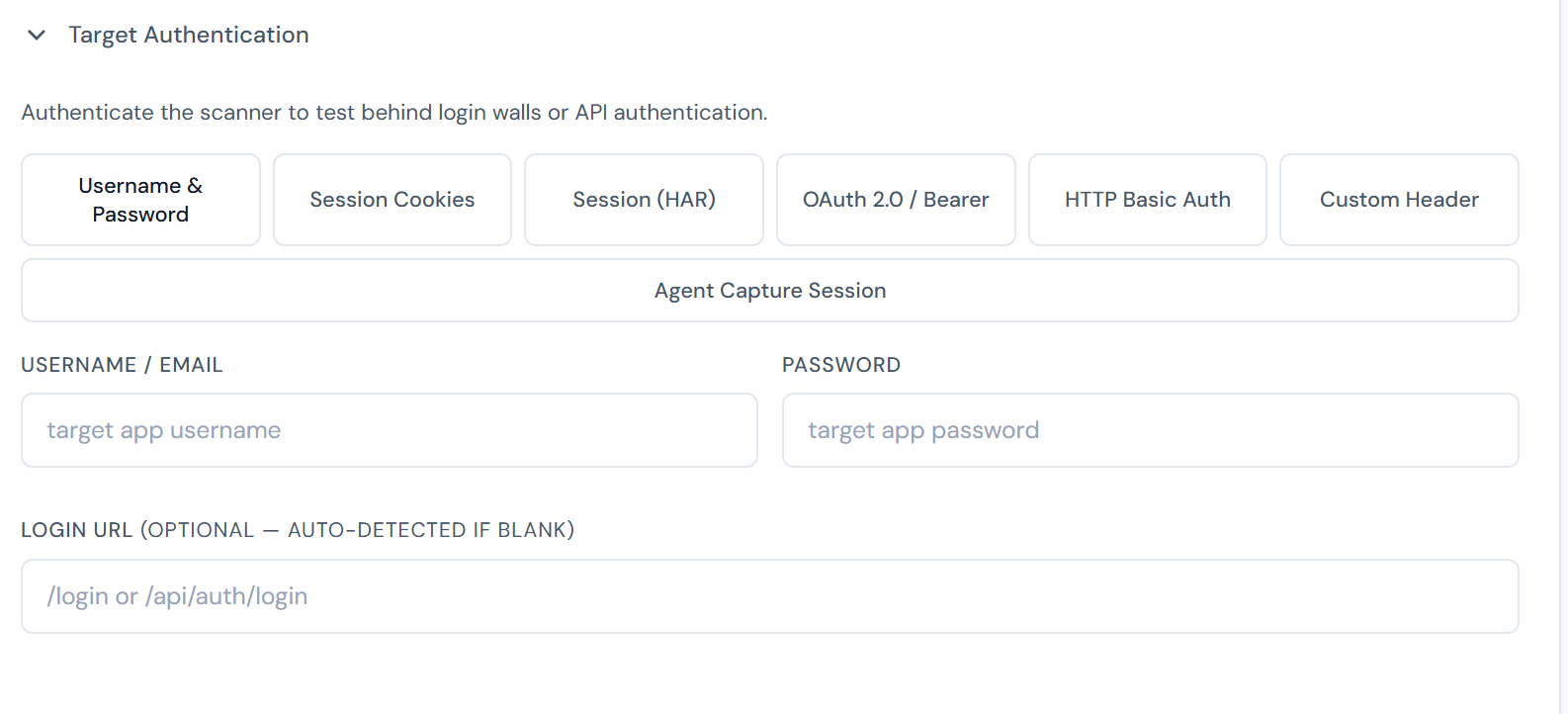
Anonymous scans only see what Google can see. Most of the interesting attack surface — admin panels, user-specific API endpoints, billing flows — sits behind authentication. Pentestas supports five ways to hand over credentials.
When login happens
Auth is exercised before the crawl. Pentestas posts the form / sets the cookies / mints the OAuth token at the very start of the scan; everything that follows — fingerprinting, crawling, parameter discovery, payload testing — runs with the resulting session. If the session expires mid-scan, the engine re-authenticates and continues. Pre-auth-only checks (e.g. login-page brute-force, account-lockout probes) still fire against the unauthenticated surface in parallel.
1. Username + password
New scan → Advanced → Authentication → Form login.
Supply:
- Login URL — the form action URL, not the UI page URL.
- Username field name / value
- Password field name / value
- Success indicator — a URL (
/dashboard) or response-body pattern ("Welcome,") that means login worked.
Pentestas posts the form, captures the resulting session cookies, and re-crawls. It also periodically re-verifies the session during the scan and re-logs-in if it detects a logout (detected via a redirect to the login URL or a 401 spike).
2. Cookie paste
Fastest path to a working authenticated scan. Downside: cookies expire — sessions shorter than your scan will fail mid-run.
Recommended: Copy as cURL
Modern sites mark the session cookie HttpOnly, so copy(document.cookie) in the Console cannot see it. The reliable workflow:
- Log into the target in your browser.
- Open DevTools (F12) → Network tab.
- Reload the page so authenticated requests appear.
- Right-click any request to the target host → Copy → Copy as cURL.
- Paste the whole
curlcommand into the Cookies box. Pentestas auto-extracts the-H 'Cookie: …'header, including HttpOnly cookies.
Alternative: DevTools → Application → Cookies
- DevTools → Application (Chrome/Edge) or Storage (Firefox) → Cookies → your target domain.
- For each cookie that you see with
HttpOnly=✓— plus any non-HttpOnly ones your target needs — copyname=value. - Join with semicolons and paste:
PHPSESSID=abc...; REMEMBERME=xyz...; csrf_token=...
Why copy(document.cookie) often fails
document.cookie is a JavaScript API that browsers deliberately hide HttpOnly cookies from — a defence against XSS stealing the session. Every properly-configured production site uses HttpOnly, so the snippet quietly returns only trackers and consent cookies. The two methods above capture every cookie the browser sends on the wire.
3. Authorization header
For API scans:
{
  "config": {
    "custom_headers": {
      "Authorization": "Bearer eyJ..."
    }
  }
}
Works with any JWT / opaque token. Combine with oauth_refresh (see below) for long scans.
4. HTTP Basic Auth
For staging environments, internal admin panels, and any site that pops the browser's native sign-in dialog (HTTP 401 with a WWW-Authenticate: Basic … header), pick the HTTP Basic Auth auth method on the New scan dialog and supply username + password.
Pentestas base64-encodes username:password and attaches Authorization: Basic <encoded> to every outbound request for the entire scan — recon, crawl, parameter discovery, payload testing, manual-tab requests. The crawler reaches the protected pages immediately and the rest of the scan runs as normal.
API equivalent:
{
  "config": {
    "target_basic_auth": {
      "username": "staging-user",
      "password": "..."
    }
  }
}
The credentials are saved in the per-target vault (Fernet-encrypted with the tenant key) so subsequent rescans pick them up automatically. The plaintext password is never persisted to scan rows — only the encrypted vault entry holds it. The Authorization: Basic … header is also stripped from the scan-config JSONB before the row is written to disk.
Combining with form login. Some apps put a Basic-Auth wall in front of a second form-login layer (typical for staging). Supply both — Basic Auth handles the outer 401, then the form login posts to the inner login URL. Both work in the same scan.
Conflict with Bearer / custom-header auth. All three set the same Authorization header. If you supply Basic Auth and a Bearer / custom Authorization header in the same scan, the explicit custom header wins (the Basic Auth is dropped). To use both, leave the custom-header field blank and rely on Basic Auth alone.
5. OAuth 2.0 refresh token (recommended for APIs)
Pentestas mints a fresh access token at scan-start and refreshes it mid-run when it expires. Survives 8-hour scans against APIs with 5-minute access tokens.
{
  "config": {
    "oauth_refresh": {
      "token_url": "https://auth.example.com/oauth/token",
      "refresh_token": "rt_abc...",
      "client_id": "pentestas-scanner",
      "client_secret": "..."
    }
  }
}
Pentestas caches the token in memory for the scan's lifetime and drops it at end.
Multi-role scans
To scan the admin panel as an admin and the user dashboard as a regular user in one scan, pass multiple credential blocks:
{
  "config": {
    "credentials": [
      {"role": "admin", "username": "admin@example.com", "password": "…"},
      {"role": "user", "username": "user@example.com", "password": "…"}
    ]
  }
}
The crawler logs in as each role, saves the session, then tries both against every discovered endpoint. This finds privilege escalation vulns where a regular user can reach admin-only functionality.
MFA / 2SV
Two approaches, both Pro+:
- TOTP seed — paste the shared secret. Pentestas generates fresh TOTPs for each login.
- Cookie reuse — log in once with MFA, paste the post-MFA session cookie. Good for short scans.
Scope + safety
- Use a test account, not your personal admin. Destructive tests can fire against logged-in flows.
- Whitelist the Pentestas scanner IP range in any WAF / rate limiter so the scanner isn't blocked mid-run. The current IP range is published on the security page and can also be requested from support@pentestas.com. For internal targets, run from an agent instead — traffic originates from your own network.
- Exclude logout URLs under Advanced → Scope restrictions so the crawler doesn't accidentally log itself out.
See also
- API scan — authenticated API specifics
- Web app scan — the general checklist