Report formats
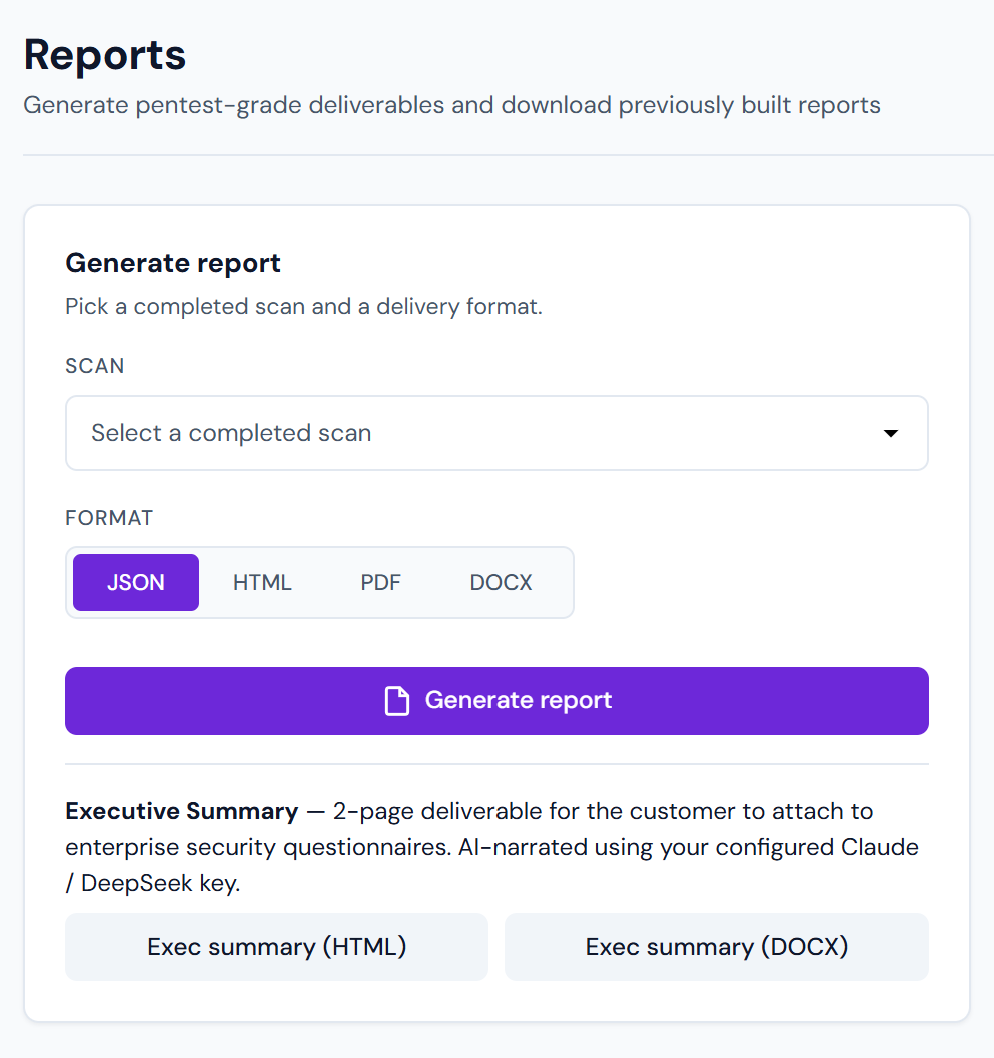
Every scan generates an HTML report automatically. Additional formats are on-demand.
Available formats
| Format | Audience | Notes |
|---|---|---|
| HTML | Online sharing, Confluence embed | Auto-generated, live at /reports/<scan_id>.html. Searchable, fast to render. |
| Stakeholders, auditors, compliance | Printable. Executive summary + per-chain detail + full finding list. | |
| DOCX | Editable deliverables | Pentest consultancies: open in Word, customise per-engagement. |
| JSON | Tooling / integrations | Machine-readable. Full finding + chain + metadata schema. |
Generating on-demand formats
UI
Scan detail page → Export report → pick format. PDF / DOCX take ~30s to render; JSON is instant.
API
curl "https://app.pentestas.com/api/scans/{scan_id}/report?format=pdf" \
     -H "X-API-Key: aa_..." \
     -o report.pdf
Formats: html / pdf / docx / json. Response is the file bytes; set the Accept header to match.
Report contents
All formats share the same content; layout + depth differ:
Executive summary
- Target, scan duration, date.
- Finding counts by severity.
- Top 3 attack chains with combined impact.
- Overall risk rating (quantified).
Chain details (PDF / HTML)
One page per attack chain: stages, rationale, combined impact, remediation pointer.
Finding list
Grouped by severity (CRITICAL first). Each finding:
- Title, CWE, CVSS, OWASP category.
- Endpoint + method + parameter.
- Proof-of-exploit request + response.
- Validation steps.
- Exploit-DB matches (top 3 by confidence).
- Remediation (stack-specific).
- AI narrative + impact (Pro+).
Appendix
- Stack fingerprint (framework, web server, WAF, TLS profile).
- Scan config (types enabled, scope, duration per phase).
- Glossary of vulnerability classes encountered.
Branding (Pro+)
Pro+ can customise:
- Logo (SVG or PNG, up to 2 MB)
- Primary brand colour (applied to headings + accents)
- Cover page text (executive summary intro paragraph)
- Footer text (confidentiality notice, tracking number)
Set in Settings → Reports → Branding. Applied to every new report generated after the change. Previously-generated reports keep the branding they shipped with.
JSON schema
The JSON export matches the API's finding schema exactly — you can:
- Import into your SIEM / GRC tool.
- Diff two scans to compute "new vs fixed" findings.
- Build custom dashboards.
Top-level fields: scan / findings[] / chains[] / metadata. See Findings API for the full schema.
Delivery
Reports can be:
- Downloaded from the UI.
- Fetched via API (see above).
- POSTed to a webhook URL on scan completion — see Webhooks.
- Emailed (Pro+) — Settings → Notifications → Email recipients.
- Delivered to Slack (Pro+) — see Slack.
Retention
- HTML: stored for the scan's retention period (see Plans and limits).
- PDF / DOCX: regenerated on demand; no persistent storage unless you configure delivery.
- JSON: computed on demand from the live finding DB, so it's always current.