Agents overview
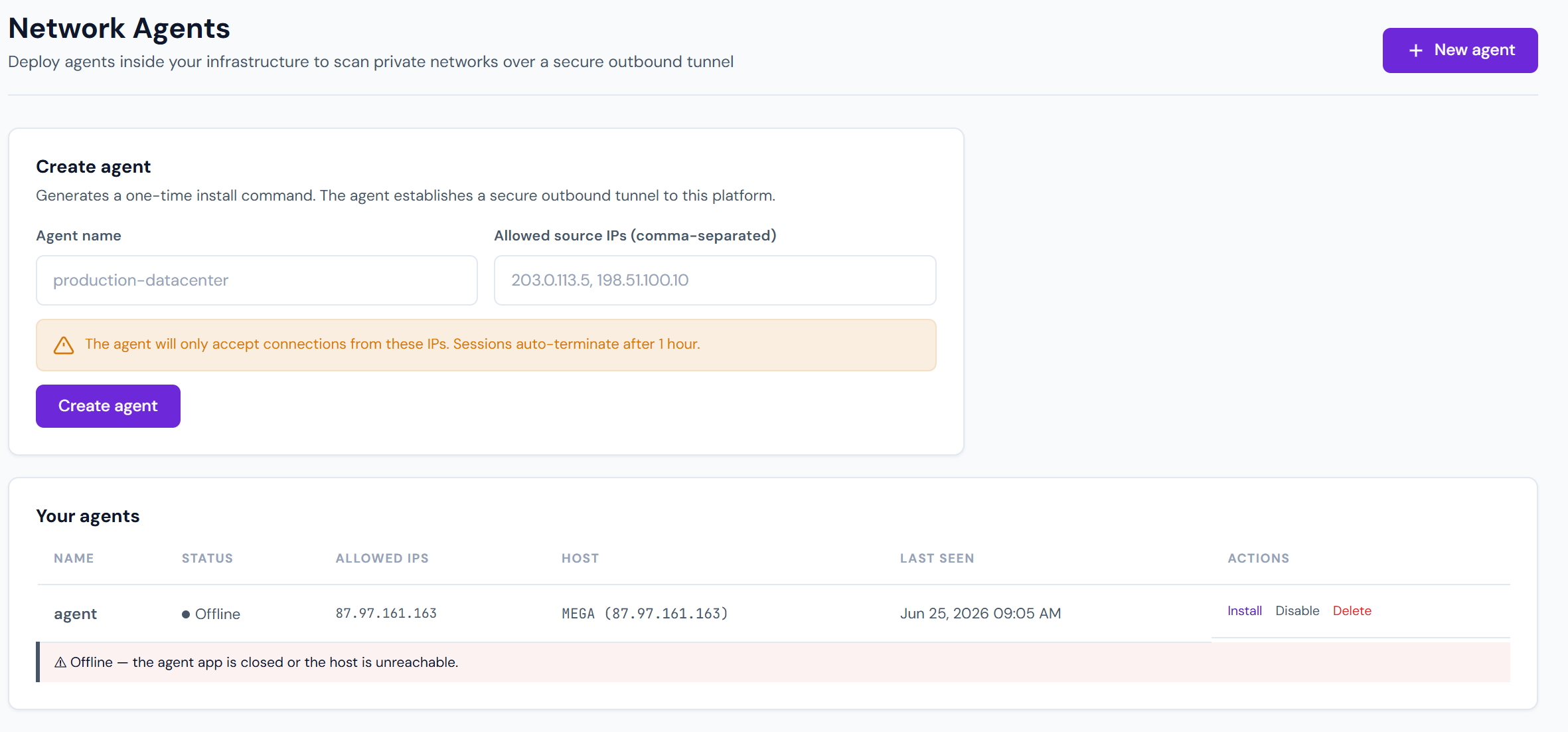
A Pentestas agent runs inside your environment (a workstation, a container in your VPC, a Windows laptop) and connects outbound to the platform. Scan traffic originates from the agent, so it can reach:
- Corporate intranet apps on
10.x.x.x/192.168.x.x - On-prem GitLab / Jira / Jenkins / admin panels
- Staging environments behind VPN
- Windows AD / Samba / RDP services
- Any target that's firewalled off from the public internet
Agents are tenant-scoped — each agent belongs to exactly one tenant, authenticates via a pa_... key, and is further locked to a pre-declared IP allowlist.
The variants
| Variant | Platform | Docs |
|---|---|---|
| Linux agent | Debian / Ubuntu / RHEL / Fedora (also macOS via the Linux installer) | Linux agent |
| Windows agent | Windows 10 1809+ / Windows 11 (x64 + ARM64) | Windows agent |
The Windows agent is a single self-contained .exe — native .NET 8 WPF, embeds WebView2 for scan-as-you-browse. Captures every request the user makes and streams it to the platform for active testing. No proxy, no CA cert dance.
The Linux agent is a systemd-managed service: curl … | sudo bash installs to /opt/pentestas-agent and registers a unit. It supports network scanning of internal subnets, server probes, and an optional mitmproxy + browser launcher for capture sessions on a workstation host.
Capability matrix
| Capability | Linux agent | Windows agent |
|---|---|---|
| Server / network scan | ✓ | — |
| Web app scan (full engine in Docker) | ✓ | — |
| Browser capture | ✓ (Firefox / Chrome via mitmproxy) | ✓ (WebView2 + Chrome DevTools Protocol) |
| Runs as service | systemd | User-driven WPF app (no service) |
| Single binary install | No (tarball + Python runtime) | Yes (~35 MB self-contained .exe) |
| Cert trust dance | profile CA + certutil | None — uses CDP, not MITM |
Install
Each agent has a distinct install flow — pick the right page above. All start with the agent key minted in Settings → Agents → New.
Security model
- Tenant scope — the agent_key belongs to exactly one tenant. A stolen key gets you nothing in other tenants.
- IP allowlist — the WebSocket connection is only accepted from pre-declared IPs. Admins can edit the allowlist in the UI without rotating keys.
- Disable / delete — an admin can immediately disconnect a running agent. The backend drops the live socket and blacklists the key.
- At-rest encryption — agent keys are stored DPAPI-encrypted (Windows) or chmod-0600 env file (Linux).
- Forward-only traffic — the agent only opens outbound connections (
wss://app.pentestas.com:443). No inbound ports to manage.
What the agent does not do
- Store scan data locally — findings are streamed to the platform and persisted there. The agent keeps no long-term state beyond its config file.
- Accept commands from anyone but the platform — the WebSocket is one-to-one with
app.pentestas.com. No local socket / RPC / shell access. - Run as root unless explicitly configured — the Linux systemd unit defaults to a dedicated
pentestasuser withProtectSystem=strict.
See also
- Linux agent — install + systemd
- Windows agent — single-
.exebrowser-capture install - Browser capture — deep-dive on capture-as-you-browse
- Network scanning from agents — scan
10.x.x.xsubnets from inside the LAN